

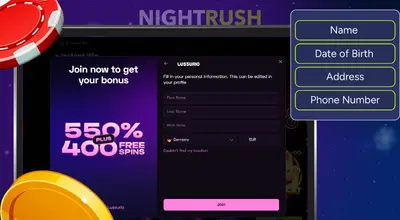
Mobile browsing can make an online casino easier to access, but convenience is only one part of the decision. A Canadian player also needs to distinguish a responsive website from a downloadable app, check how the interface handles account tasks, and understand which details remain unconfirmed until the site is opened. The lussurio casino homepage is presented as a browser-based option for smartphones and tablets, so the most useful comparison is not simply whether it works on a small screen. It is whether the mobile experience suits the way you plan to browse, verify information and manage play.
What should a mobile casino website handle well?
A useful mobile casino site should remain readable without constant zooming or sideways scrolling. Menus should identify game categories clearly, search tools should be easy to reach, and buttons should have enough space to avoid accidental taps. These details matter more on a phone than on a desktop because a crowded layout can make a simple task—such as returning to the lobby or checking a game description—unnecessarily slow.
The available information describes an instant-play website compatible with modern smartphone and tablet browsers. It includes access to slots, live casino content, promotions, account areas and cashier functions without requiring a desktop computer. That makes browser compatibility the central consideration. Players should test the site using the device and browser they actually intend to use, since performance can vary between operating systems, screen sizes, connection quality and browser versions.

Mobile browsing is also about continuity. A site may look attractive in the lobby but become less practical when opening account documents, reviewing activity or contacting support. Before committing time or money, check whether menus remain available in portrait mode, whether text can be selected easily, and whether pages reload correctly after the phone locks. Treat a smooth lobby as a positive sign, not proof that every account or payment screen will work identically.
Browser access or a downloadable app?
There is an important difference between an instant-play mobile website and a native application. A browser site is opened through Safari, Chrome or another mobile browser and normally avoids installation. A native app is downloaded from an official app marketplace or supplied through another verified distribution method. The two formats may offer similar menus, but they can differ in notifications, permissions, updates, storage requirements and security controls.
Some directories describe the service as having a mobile application, but a verifiable iOS App Store or Google Play listing has not been established in the available material. It is therefore safer to treat browser access and a downloadable app as separate possibilities. Do not assume that an app advertised on an unrelated page is official, and avoid installing files from unknown websites merely because they promise a faster mobile experience.
For many users, the browser route is sufficient. It can reduce the number of installed applications and lets you close the session when finished. The trade-off is that the experience may depend more heavily on browser settings, cookies and connection stability. If a page asks for unusual permissions, redirects repeatedly or displays an unexpected download prompt, stop and verify the address before entering personal information. A phone’s convenience should never replace basic source checking.
How can you test the mobile layout before using it?
A short, structured test is more useful than judging the homepage alone. Begin with the lobby: rotate the phone, open a category, return to the main menu and use the search function if available. Then inspect whether game thumbnails, rules and buttons remain legible. If live content is part of your intended browsing, see whether the page loads without forcing repeated refreshes or hiding key information below oversized banners.
Next, examine the non-game areas. Look for clearly labelled routes to account settings, support, verification information, bonus terms and the cashier, without assuming that every listed function will be available to every user. Check how quickly pages respond over both Wi-Fi and mobile data. A site that works only under ideal conditions may be frustrating when travelling, using a weaker signal or switching between applications.
Finally, review the session itself. Confirm that signing out is easy to find, that the browser does not retain sensitive details on a shared device, and that an interrupted page does not create duplicate taps or repeated requests. Screenshots can help you remember unclear terms, but they should not replace reading the current wording on the site. If a requirement is not plainly explained, pause and seek clarification from the operator before proceeding.
Which mobile safety checks matter in Canada?
Mobile devices are often used on public Wi-Fi, in transit or around other people, which increases the importance of basic account hygiene. Use a screen lock, keep the operating system and browser updated, and avoid saving passwords on a device that others can access. A unique password for the casino account is preferable to reusing one connected to email, banking or social media.
Check the address bar before entering identity or payment information. Look for the expected domain, a secure connection and a page that behaves normally. Security indicators do not prove that an operator is suitable or that a transaction will be successful; they only help establish that the connection is encrypted. Avoid links arriving through unsolicited messages, and be cautious if someone asks for documents or payment details outside the normal account process.
For broader advice on protecting accounts, Canadians can consult the Government of Canada’s cyber-safety guidance. That general resource does not confirm any casino-specific security feature, but its principles apply to mobile browsing: update software, recognize suspicious messages and protect credentials. Also remember that an offshore website should not be treated as though it were registered with a Canadian provincial regulator. Check the operator’s own terms and your local requirements before deciding whether to use it.
When is mobile browsing the better option?
Browser access can be a sensible choice when you want occasional access from a phone or tablet without installing another application. It is also practical for comparing categories, reading published terms and checking whether the interface is suitable before considering any account activity. The absence of a verified native app may be unimportant if the responsive site loads reliably and presents the information you need.
There are limits, however. A small screen is less suitable for comparing lengthy bonus conditions, reviewing detailed account records or carefully checking verification requirements. Touch controls can also make rapid actions easier to perform accidentally. For those tasks, a larger tablet or desktop screen may improve concentration and reduce mistakes. Mobile convenience should support deliberate decisions, not encourage hurried ones.
Choose the format that matches the task. Use the phone for light browsing and routine navigation, move to a larger screen for close reading, and avoid using public devices for account access. If the mobile site feels unclear, pages fail to load, or important terms are difficult to locate, that is a reason to pause rather than push through. A practical comparison comes down to clarity, control and dependable access—not merely whether a site opens on a handset.
Mobile browsing questions answered
Is a native mobile app confirmed?
No verified iOS App Store or Google Play listing is established in the available information. The documented option is an instant-play website designed for modern smartphone and tablet browsers. Treat any separate application claim cautiously, and do not install software from an unfamiliar source without confirming its authenticity.
Can I use a phone for account and cashier pages?
The mobile information describes account access and cashier functions as part of the browser experience. However, the exact appearance, availability and requirements of individual screens can vary. Read the current operator terms, protect your device, and confirm any identity or payment instructions before submitting information.
What if the mobile site does not work properly?
Try updating the browser, switching between Wi-Fi and mobile data, clearing temporary site data, or using another current browser. If the problem continues, record the error without exposing private documents and contact the listed support channel. Do not repeat sensitive transactions simply because a page appears unresponsive.